


BIR-Accredited POS
FaithCode POS is built and accredited to support Bureau of Internal Revenue requirements for sales invoices, official receipts, VAT treatment, and fiscal readings used by Philippine businesses.
 Flash Deal: Grab FaithCode POS FREE — register now, zero setup cost!

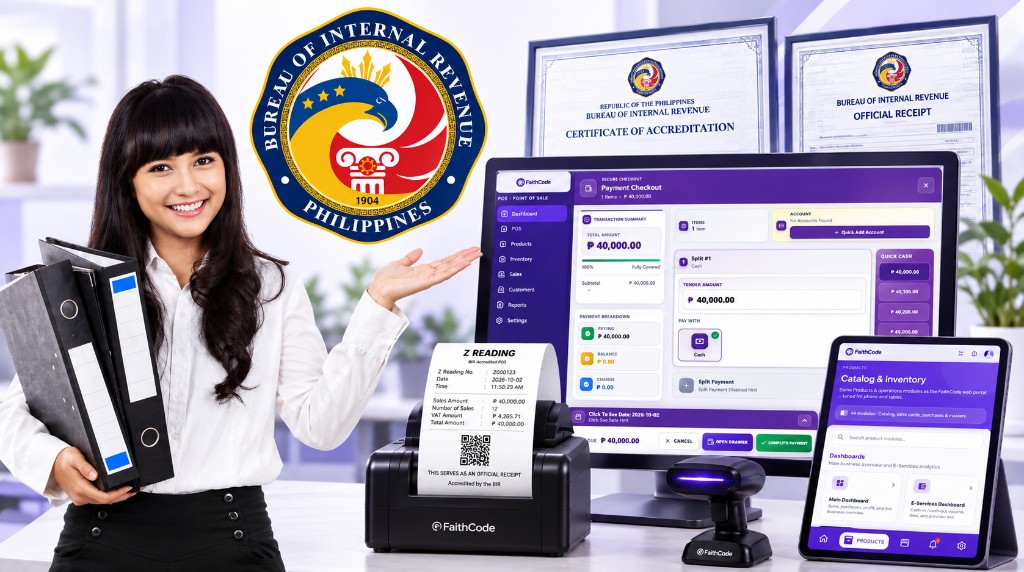
 Compliant Mo, Protektado Mo
FaithCode is a BIR-accredited Point of Sale system designed to help merchants comply with BIR, DTI, and everyday business registration requirements — from official receipts and Sales Invoice numbering to X/Z-readings and audit-ready reports.
Whether you run a sari-sari, retail shop, or growing MSME, FaithCode gives your counter the compliance tools auditors look for — while staying simple for cashiers and clear for owners.
Why Accreditation Matters
FaithCode helps your business meet the spirit of Philippine tax and trade compliance — so receipts, readings, and records stay klaro when BIR or inspectors review your store.
FaithCode POS is built and accredited to support Bureau of Internal Revenue requirements for sales invoices, official receipts, VAT treatment, and fiscal readings used by Philippine businesses.
Aligned with DTI and business registration expectations for MSMEs — so your store can operate with proper records, clearer documentation, and tools that support compliant daily selling.
Sales Invoice numbers, X/Z-readings, grand totals, voids, and audit trails stay organized — so BIR visits and bookkeeping reviews feel clearer and less stressful.
What’s Included
These are the core tools merchants use every day to keep sales fiscal, receipts official, and closings audit-ready.
Issue receipts with TIN, SI numbering, VAT details, and the required BIR wording — so every completed sale can serve as a proper official receipt.
Generate mid-shift X-readings and end-of-day Z-readings with SI ranges, sales totals, VAT, voids, and grand-total snapshots for your records.
Sales Invoice numbers increment in sequence per terminal — protecting the integrity of your fiscal series for audits and daily closing.
Grand totals accumulate as you sell. There is no reset-to-zero control — supporting BIR expectations for continuous fiscal tracking.
Senior Citizen and PWD privilege discounts follow BIR-aligned VAT-exclusive computation so privileged sales stay consistent at the counter.
Voids keep the original SI, restore stock properly, and log adjustments — so corrections never erase your fiscal history.
Merchant Guide
Follow this merchant path from registration to daily Z-Reading — so your team knows exactly what to do.
Create your free merchant account and set up your business profile. Our team can help activate BIR-ready POS features for your tenant.
Enter your registered business name, TIN, SI prefix, and terminal ID. Add PTU / MIN only when BIR has already issued real permit documents for your machine.
Pair your thermal printer and barcode scanner, then open the cash register before selling — so receipts and readings stay tied to the active shift.
Ring up sales as usual. When BIR compliance is active, completed sales issue SI numbers and print official-receipt details your customers and auditors expect.
Need a snapshot without closing the day? Generate an X-Reading to review SI range, gross sales, VAT, and voids while the register stays open.
Close the cash register to produce your Z-Reading. Keep printed or PDF copies with your daily sales records for BIR and bookkeeping.
Daily Operations
For Merchants
FaithCode provides the accredited POS platform and compliance tools. Your store still completes its own government registration and permit process. We guide you — and we never invent PTU, MIN, or accreditation numbers.
Once your documents and TIN are ready, FaithCode activates BIR Compliance so cashiers can sell with official receipts and owners can close with proper X/Z-readings.
Activating BIR features in FaithCode enables SI numbering, official-receipt format, X/Z-readings, and audit controls on your account. It does not replace your store’s own BIR registration, DTI/SEC papers, or any PTU/MIN that BIR must issue for your machine. Use only real permit values — FaithCode support can help you encode them correctly after BIR approval.
Register free, set up your TIN and invoice details, and start selling with compliant receipts — or email us at faithcodehelp@gmail.com for onboarding help.
Send an Email
Follow Us on Facebook
Our Address